Found something you love but aren’t ready to buy just yet? Save it to your Wishlist! This is the best way to keep track of your favorite kits or build a collection for a future project.
How to add an item:
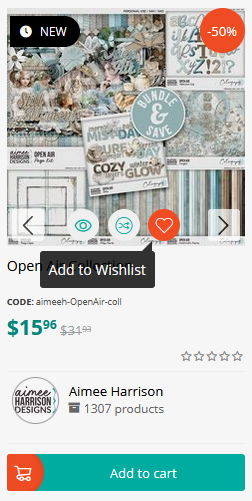
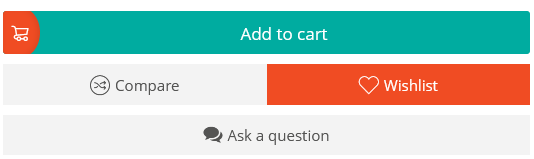
On any product page, look for the Heart Icon (or "Add to Wishlist" button).
Click it, and the item will be instantly saved.
While browsing a category:
On the product page:
How to view your Wishlist:
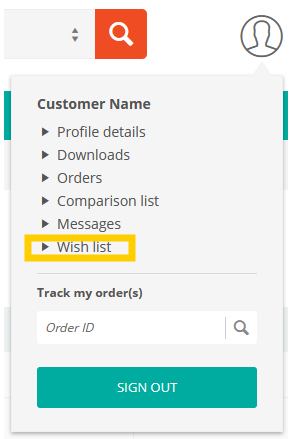
Make sure you are logged in.
Click on My Account at the top of the page.
Select Wishlist.
From here, you can move items directly to your cart when you are ready to checkout.
Tip: This is a great tool for waiting for sales! Fill up your wishlist now, and checkout quickly when a promotion starts.
Was this article helpful?
That’s Great!
Thank you for your feedback
Sorry! We couldn't be helpful
Thank you for your feedback
Feedback sent
We appreciate your effort and will try to fix the article